Social publishing for teams

One content item. The right variants. Published safely.

Posting-Planner brings ideas, platform variants, team approvals, and scheduling into one clear workflow for Facebook, Instagram, TikTok, and YouTube.
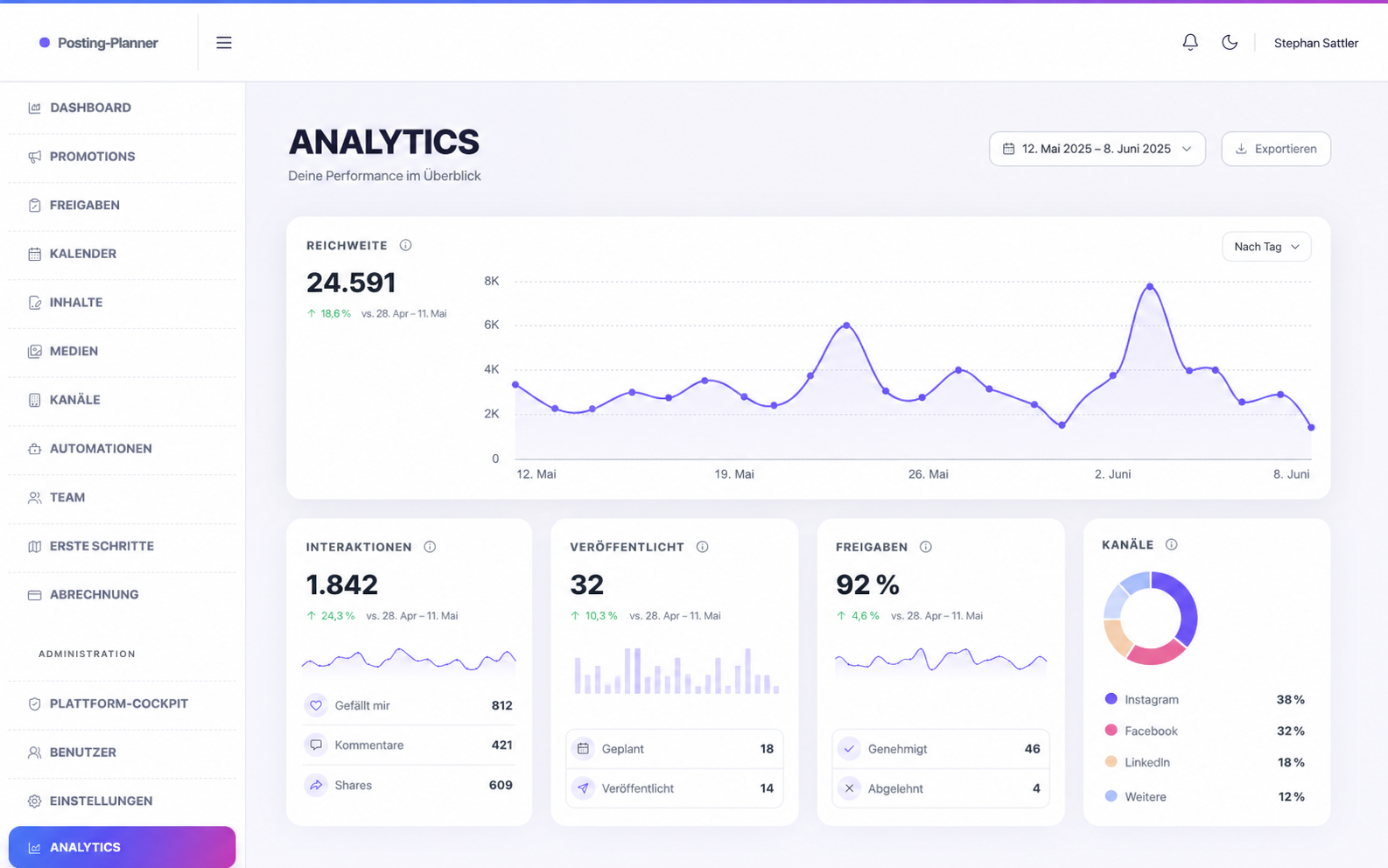
One shared content spacePlanning, variants, and approvals in one place.
Built for multiple platformsMeta is live; TikTok and YouTube use OAuth integrations.
Example view of Posting-Planner analytics
Plan and publish for your channels
Facebook
Instagram
TikTok
YouTube
01 / Product

Less coordination. More clarity.

01

One content item, several variants

Prepare a topic once and adapt it for every selected channel without losing the overview.

02

Approvals that teams understand

Editors create content and approvers review it. Only then can a post be scheduled or published.

03

Publishing with platform rules

The planner shows suitable formats and checks media before a channel publishes.

Planning in context

A calendar that makes the week tangible.

Formats, channels, and statuses live in one view. Your team can immediately see what is ready, where something is missing, and when the next post goes live.
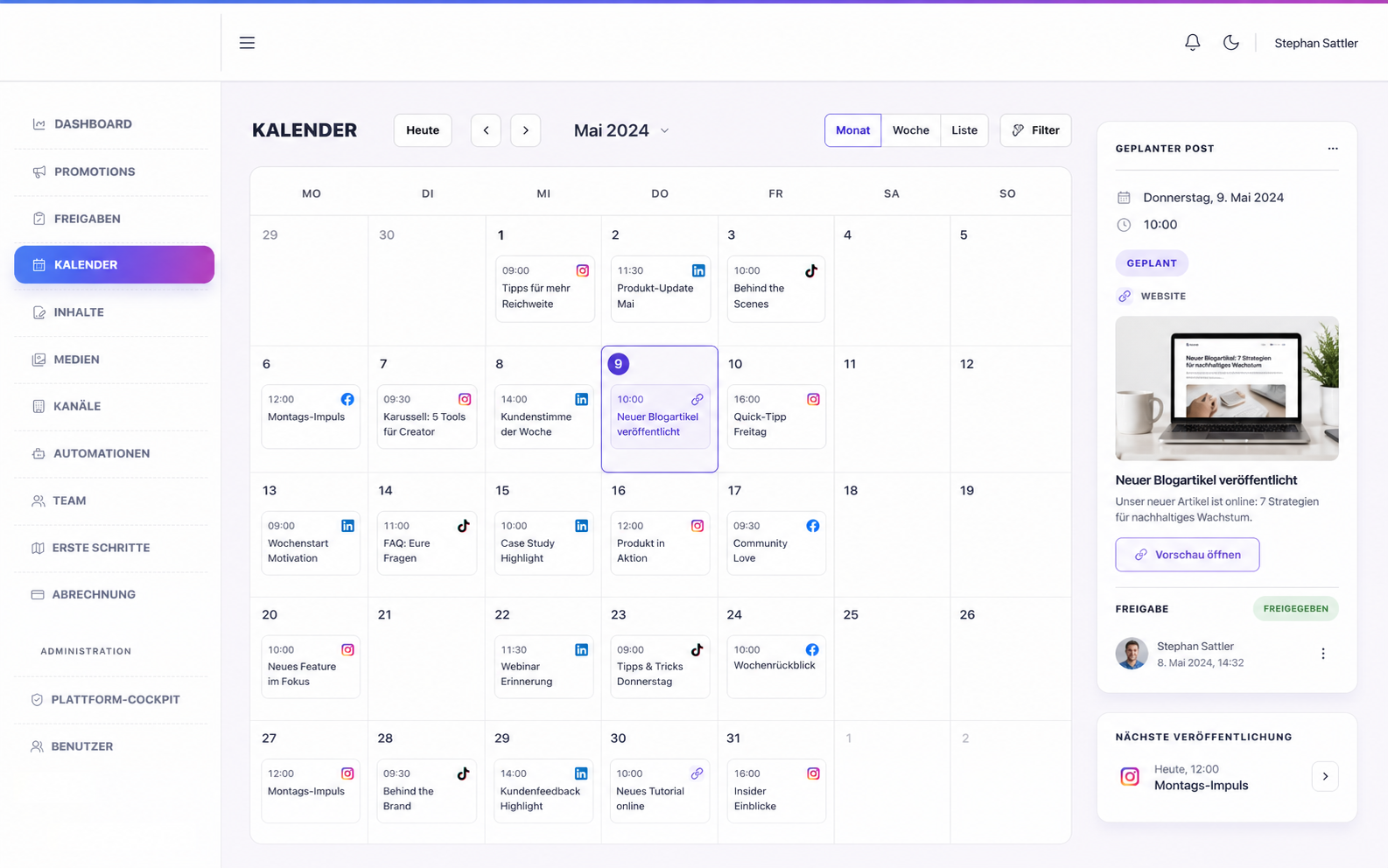
  • Posts by channel and status in one view
  • Details, media, and publishing time on the content item
  • One plan the whole team can actually use
Example view of the Posting-Planner content calendar
02 / Channels

Every channel gets the right workflow.

Facebook, Instagram, TikTok, and YouTube are managed as understandable channels, not as technical integrations.

01

Meta without detours

Connect Facebook Pages and Instagram Business Accounts, schedule posts, and keep basic metrics in view.

02

TikTok with creator approval

Publish videos from the planner once TikTok OAuth and Direct Post access are approved.

03

YouTube for videos and Shorts

Upload videos, set visibility and a publishing time, and run uploads reliably in the background.

03 / Workflow

From topic to publication.

Posting-Planner brings the recurring steps of social publishing into a sequence that works for teams.

01
Create contentChoose the topic, date, and the channels you want to reach.
02
Shape the variantsReview text and media per platform or start with AI-assisted drafts.
03
Approve as a teamApprovers make the binding decision; requested changes remain attached to the content.
04
Schedule and review impactPublish approved content reliably and use available metrics in context.
Approval with context

Feedback stays with the post.

Instead of hunting for decisions in emails and chats, the approval stays on the draft itself. That gives every team member a clear next step.
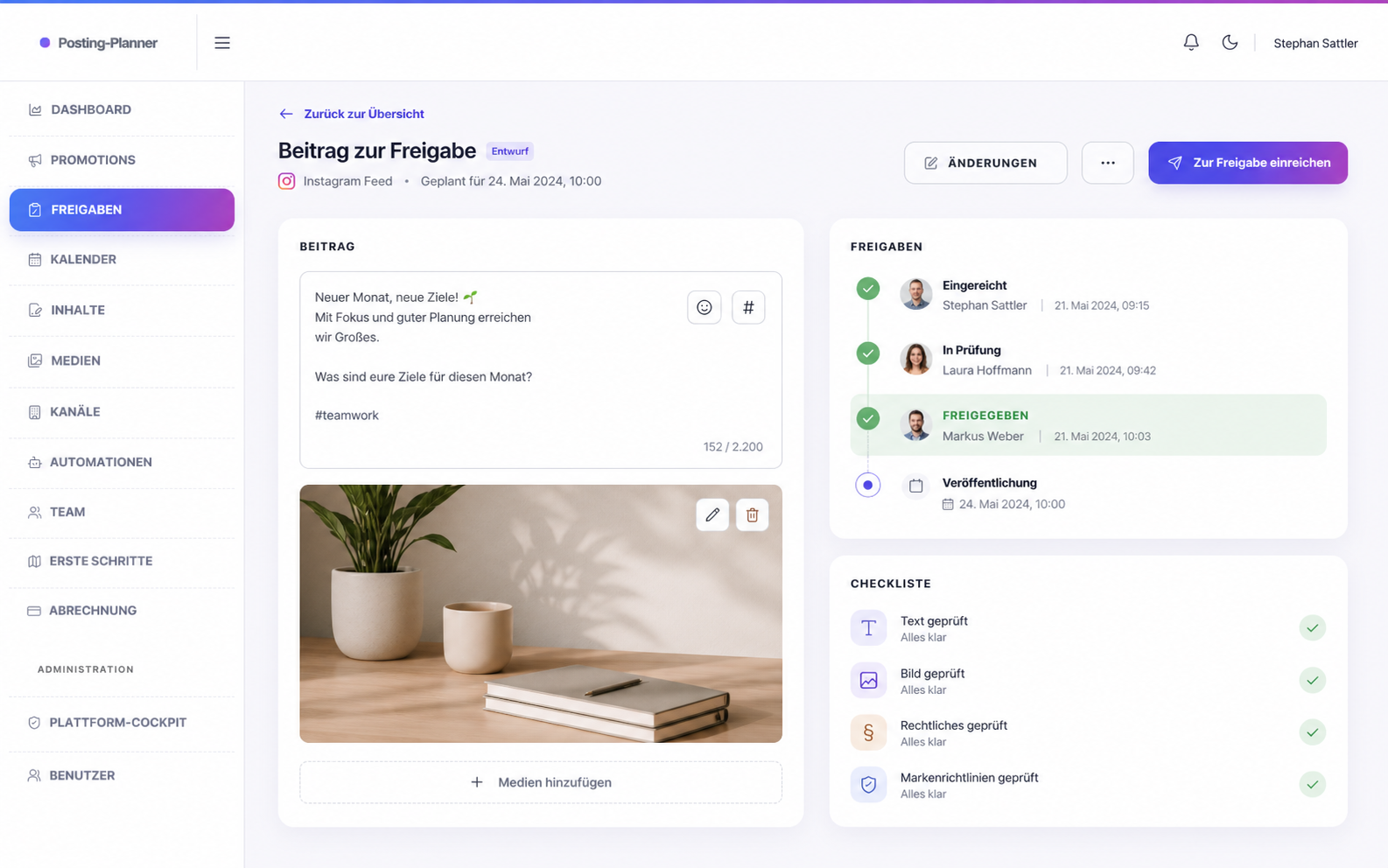
  • Preview and platform variants side by side
  • Requested changes remain traceable
  • Approvals are unambiguous before publishing
Example view of a team approval in Posting-Planner
04 / Control

Automation stays human.

AI as a drafting assistantRecurring content recipes create suggestions. Automatically created content always goes through team approval first.
Clear publishing statusesDraft, approval, scheduling, publishing, and errors stay visible for every channel, even when one channel needs attention.
Ready to plan

Give your team a clear content workflow.